Greasy Fork is available in English.

YouTube dinamik video ızgarası

YouTube Video Izgarayı, satır başına en iyi sayıda video sayısını görüntülemek için pencere genişliğine göre dinamik olarak ayarlayarak, daha hızlı duyarlı düzenler için varsayılan 3 video ızgaralarının üzerine yazarak

Bu betiği kurabilmeniz için Tampermonkey, Greasemonkey ya da Violentmonkey gibi bir kullanıcı betiği eklentisini kurmanız gerekmektedir.

You will need to install an extension such as Tampermonkey or Violentmonkey to install this script.

Bu betiği kurabilmeniz için Tampermonkey ya da Violentmonkey gibi bir kullanıcı betiği eklentisini kurmanız gerekmektedir.

Bu betiği kurabilmeniz için Tampermonkey ya da Userscripts gibi bir kullanıcı betiği eklentisini kurmanız gerekmektedir.

Bu betiği indirebilmeniz için ayrıca Tampermonkey gibi bir eklenti kurmanız gerekmektedir.

Bu betiği yüklemek için bir betik yöneticisi eklentisi yüklemeniz gerekecektir.

(Zaten bir betik yöneticim var, hadi yükleyelim!)

Bu stili yüklemek için Stylus gibi bir uzantı yüklemeniz gerekir.

Bu stili yüklemek için Stylus gibi bir uzantı kurmanız gerekir.

Bu stili yükleyebilmek için Stylus gibi bir uzantı yüklemeniz gerekir.

Bu stili yüklemek için bir kullanıcı stili yöneticisi uzantısı yüklemeniz gerekir.

Bu stili yüklemek için bir kullanıcı stili yöneticisi uzantısı kurmanız gerekir.

Bu stili yükleyebilmek için bir kullanıcı stili yöneticisi uzantısı yüklemeniz gerekir.

(Zateb bir user-style yöneticim var, yükleyeyim!)

Yazar
人民的勤务员
Günlük kurulumlar
1
Toplam kurulumlar
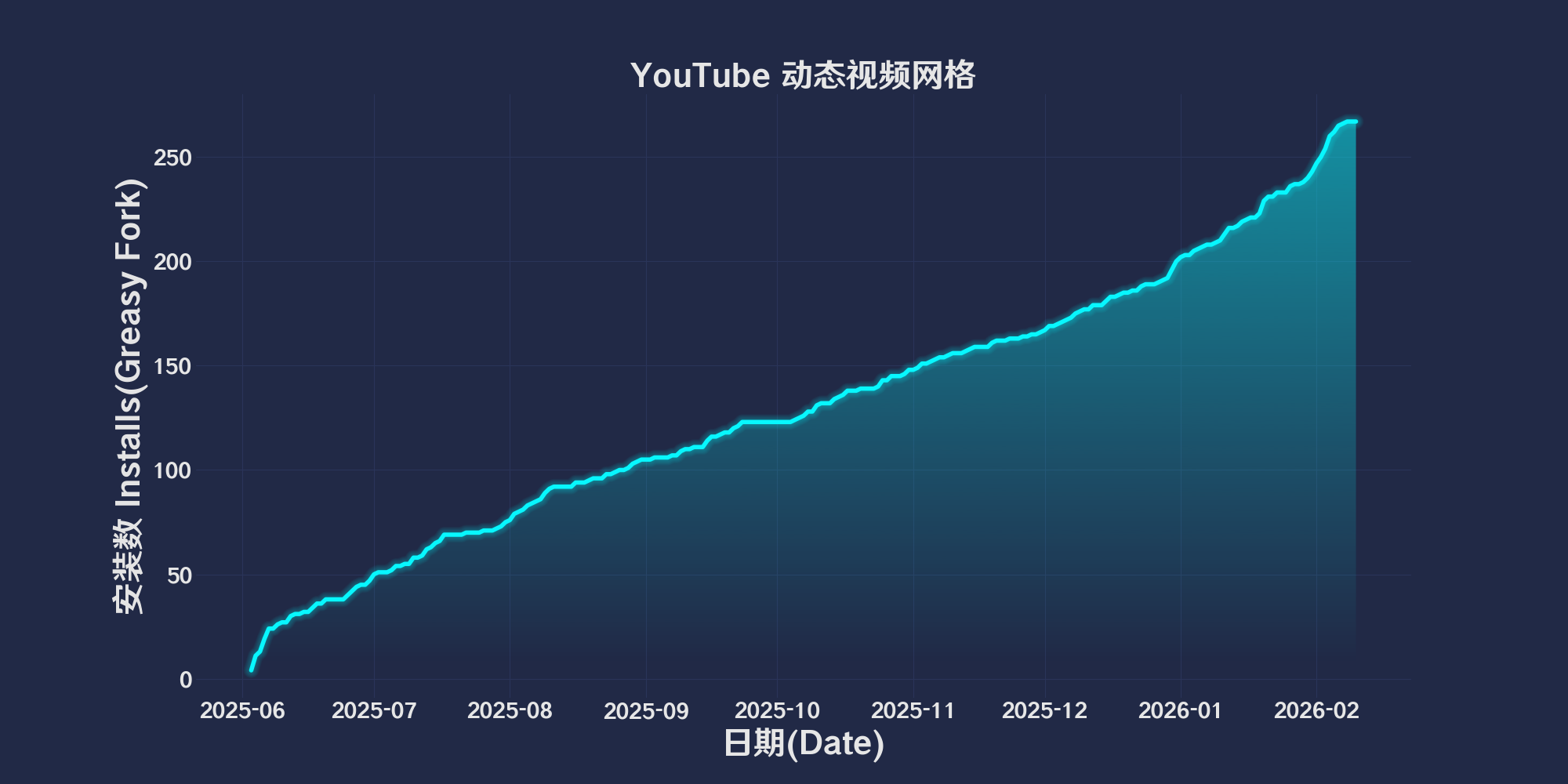
469
Değerlendirmeler
4 0 0
Versiyon
2025.6.3.1
Oluşturulma
03.06.2025
Güncellenme
03.06.2025
Boyut
78,7 KB
Uyumluluk
Firefox ile uyumluluk Chrome ile uyumluluk Opera ile uyumluluk Safari ile uyumluluk Edge ile uyumluluk
Lisans
MIT
Geçerli

简体中文 | English | 한국어 | Tiếng Việt | 繁體中文

👆️access GitHub Readme file on for a better experience。

Recommended use:

Support
Support
💡 Tip: The script manager and browser listed above do not represent all
The script runs normally in the following environment
Passed

YouTube Dynamic Video Grid

「 Dynamically adjust the YouTube video grid based on window width to display the best number of videos per line, overwriting the default 3 video grids for faster responsive layouts 」

Views

Download:Github | ⭐Greasy Fork

Update records

🛠️ youtube-dynamic-grid Update log

📅 2025.6.3.1

New: •Initial version


💖 The script referenced or used the following script:

🧑‍💻 @nicholas-fedor ⇒ 📜 youtube-dynamic-grid

Overview

Dynamically adjust the number of videos displayed per line according to the width of the browser window,OptimizedYouTubeVideo grid layout。
This script ensures that the layout is responsive,This optimizes screen space,Provide a better browsing experience。
This script calculates the best number of videos(Between3arrive12between),and apply the necessaryCSScover。

This script cannot be guaranteed to be valid for a long time。

Start quickly

Using scripts

  • Access in a browserYouTube
  • The script will automatically adjust the video grid according to the window size。
  • Resize the browser window to see dynamic grid adaptation。
  • existURLAdd afterward?debug=1(For example,https://www.youtube.com/?debug=1)Debug logs can be enabled。

Function

  • Responsive mesh:Adjust the number of videos displayed per line according to the window width(3arrive12)。
  • Seamless integration:Applicable toYouTubeHome page and other video grid pages。
  • Efficient update:useMutationObserverReal-time grid adjustment with event listener。
  • Rewind mechanism:Includes polling and retry to ensure thatYouTubeDynamic load compatibility。

How to use

  • The script will be inYouTubepage(*://www.youtube.com/* and *://youtube.com/*)Automatically run on。
  • No configuration required;The grid will automatically adjust according to the width of your browser window。
  • For optimal performance,Please avoid running multiple grid modification scripts at the same time。

parameter

  • videoWidth: 340px(Thumbnail width,Applicable to3440x1440The screen displays about9A video)
  • margin: 40px(Total margins on the left and right)
  • gap: 10px(Thumbnail spacing)

Help

Recommended browser and script manager:

  • Greasemonkey + Waterfox
  • Tampermonkey/Violentmonkey + Firefox
  • Tampermonkey/Violentmonkey + Chrome
  • Userscripts + ios Safari
  • Violentmonkey/KiWiBrowser + Android

If you need to learn more about how to install user scripts,Click meView the teaching of pictures and texts!

View all publish scripts